Technical documentation SALES005 v1.0.4
Version: Process description SALES005 v1.0.4
1 Introduction
This document provides general information on the technical agreements for the use of the DICO Standard in the Building and Installation sector. For the process description see the document "Process description Data messages SALES005" or "Process description Transaction messages SALES005". This document concerns the general specifications for XML messages:
- Structure of the introduction conventions;
- Construction of the technical documentation;
- Points of attention XML;
- Sending XML messages.
This document is generic for all other DICO messages SALES005. The specifications in this document should be used in conjunction with the document "Process Description Data Messages SALES005" or "Process Description Transaction Messages SALES005". The documentation has been compiled with care, if there are unexpected errors or ambiguities, please contact Ketenstandaard for clarification. Please do not make your own interpretation, to prevent dialects of the standard.
The documentation describes the scope of the DICO Standard. The structure, contents and user rules are explained. Ultimate DICO XML messages must comply with the described requirements. For the actual exchange of DICO messages, a license is required. For more information and user conditions, Ketenstandaard Bouw en Techniek.
1.1 What is the purpose of this document?
This document explains the umbrella agreements made within the sector regarding the use of the DICO XML rental messages. This process model is intended for rental messages and provides an overview of the rules that apply within the DICO Standard.
1.2 Welke documenten maken deel uit van de gebruikersdocumentatie?
The user documentation for the rental messages consists of two documents: a process description (this document) of the rental messages and a technical document. Other (technical) information is published on Semantic Treehouse. Sample messages can be found here as well as tools such as a validation tool to validate messages.
The documentation has been compiled with care, but should there nevertheless be any errors or ambiguities, you are requested to contact Ketenstandaard for clarification. Please do not make your own interpretation, in order to prevent dialects of the standard.
The documentation describes the scope, process and technical principles of the DICO Standard. The structure, content and user rules are further explained at Semantic Treehouse. Final DICO XML messages must comply with the described requirements. For the actual exchange of DICO messages, a licence is required. For more information and user conditions on this, Ketenstandaard Bouw & Techniek.
1.3 Compilers
This document is maintained by Ketenstandaard Construction and Engineering. Ketenstandaard Construction and Engineering manages the DICO Standard and facilitates DICO Committees for the Construction and Installation sector. Companies from the sector are represented on these committees, which ensures that the information needs of the sector are met. For questions or comments on this document, please contact dico@ketenstandaard.nl.
2 Change table
Any change(s) compared to a previous version are shown in a change table. The information can be found on the website of Ketenstandaard Construction and Technology: www.ketenstandaard.nl.
3 General specifications SALES005
3.1 Structure specifications
3.1.1 Functional documentation
The functional description of the input conventions consists of attributes (data) and data groups (entities). Each data group consists of a number of attributes. An attribute occurs only once in a data group. A data group can occur several times (repeating data group). The data groups are grouped hierarchically, i.e. a data group can be dependent on another data group.
The pdf attachments have been replaced by a publication tool (Semantic Treehouse). The advantage is that all information is up to date and any clarifications can be added. The documentation can be found on Semantic Treehouse:
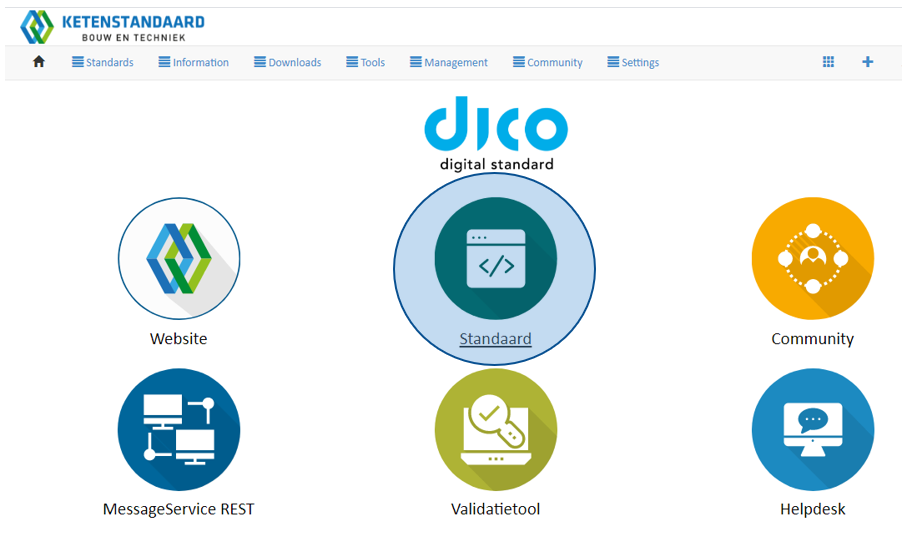
Figure 1 - Click on 'Default

Figure 2 - Click on the message you want to view
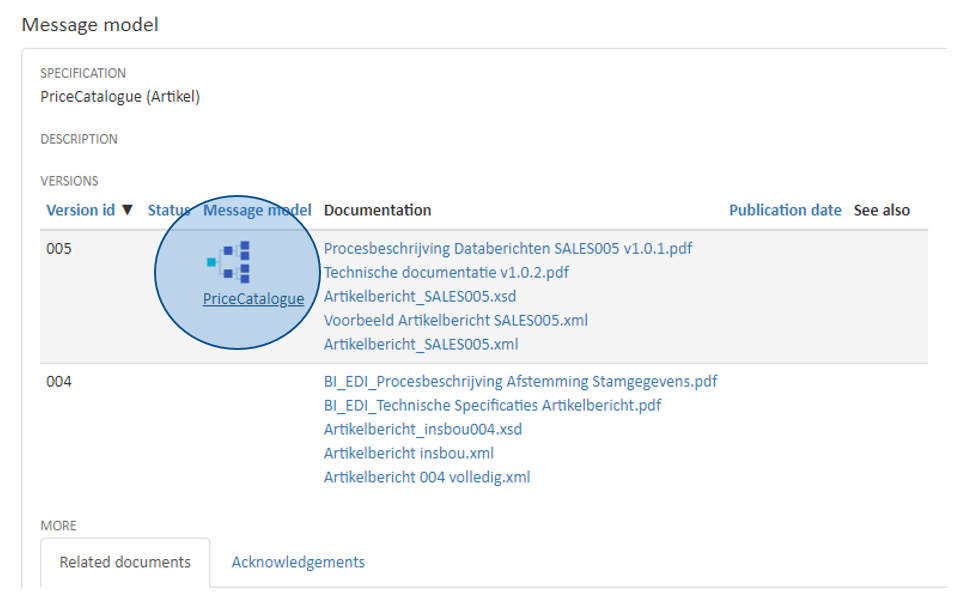
Figure 3 - Click on the 'treeview
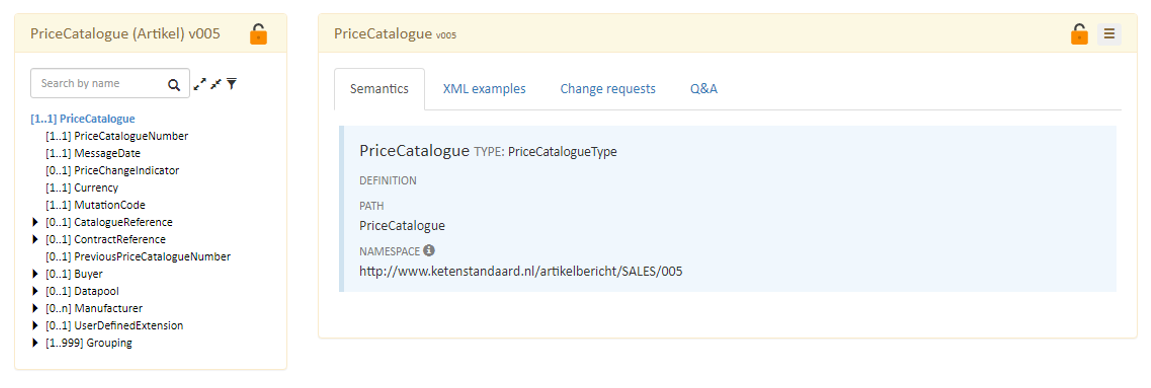
Figure 4 - You can view the message specifications here
3.1.2 Overview of entities (data groups)
For each data group, the following is indicated:
- Element': name of the data/data group;
- [1..1] describes the cardinality: the obligation and the multiplicity. The first digit can have a value of ‘0’ or ‘1’ where 0’indicates that it is optional and1 ‘1’ indicates that it is mandatory. The second digit indicates the multiplicity and can have a value of ‘1’ or higher or ‘n’. N indicates that the entity may be used without restriction.
- Place in the hierarchy. A data group contains one or more data items. A data group can be equivalent to another data group. It may also be the case that a data group contains another data group. We call this phenomenon 'nesting'.
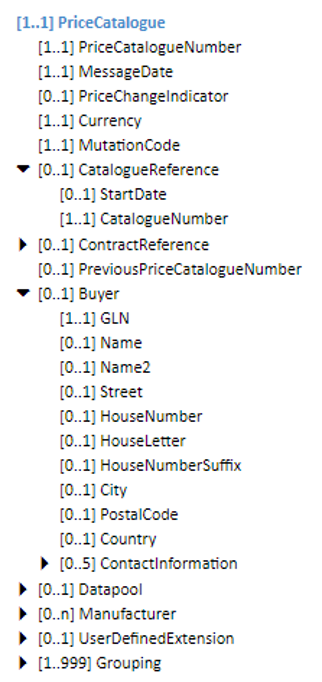
Figure 5 - Overview tree structure in Semantic Treehouse
3.1.3 Elements description
Each element is described as follows:
- Name of the attribute or entity and its description.
- The data type of the attribute.
- The path of the attribute.
- The namespace of the attribute.
- The format of the data, if any.
- Length of the attribute, if applicable.
- Business rules that apply to the attribute.
- Code list applicable.
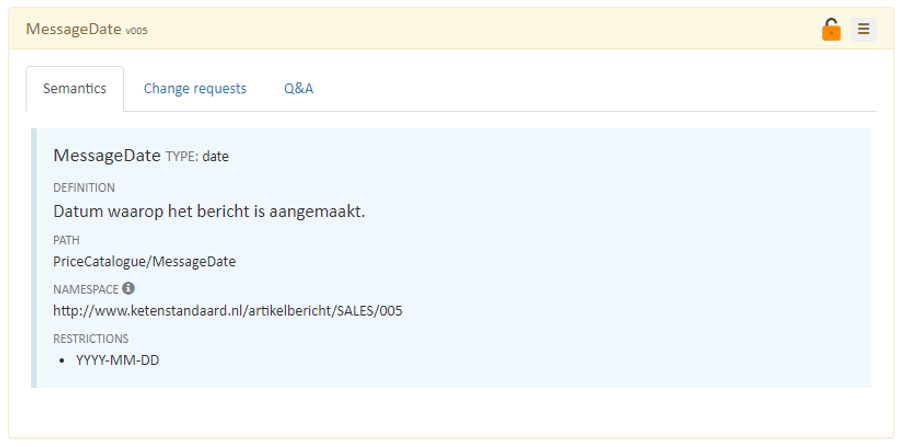
Figure 6 - Information on the element concerned
3.1.4 Syntaxes
The DICO messages are offered exclusively in XML. In the diagrams below, reference is made to the model. The messages shall always be completed in accordance with the XML standard.
3.1.5 Validation tool
Ketenstandaard makes a validation tool available to its licensees with which the DICO messages can be checked. The validation tool distinguishes between a technical validation (the structure) and a functional validation (business rules). The tool can be found at www.ketenstandaard.nl behind the login.
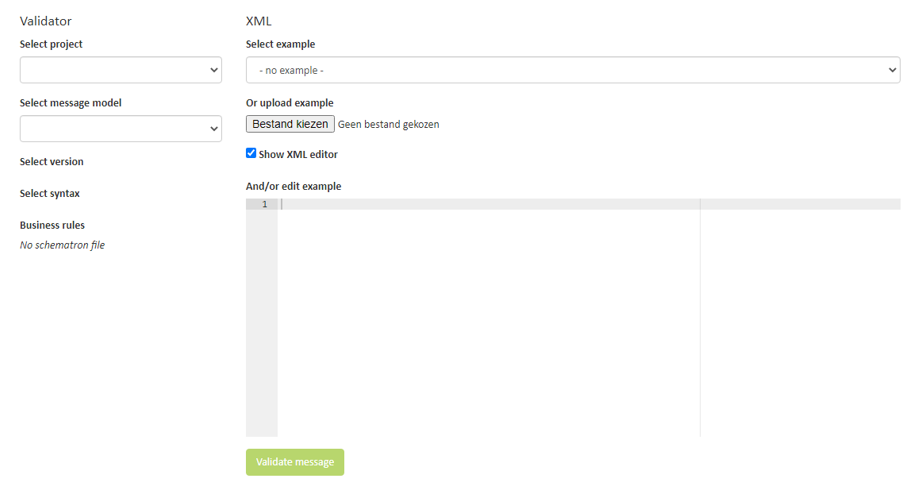
Figure 7 - The validation tool
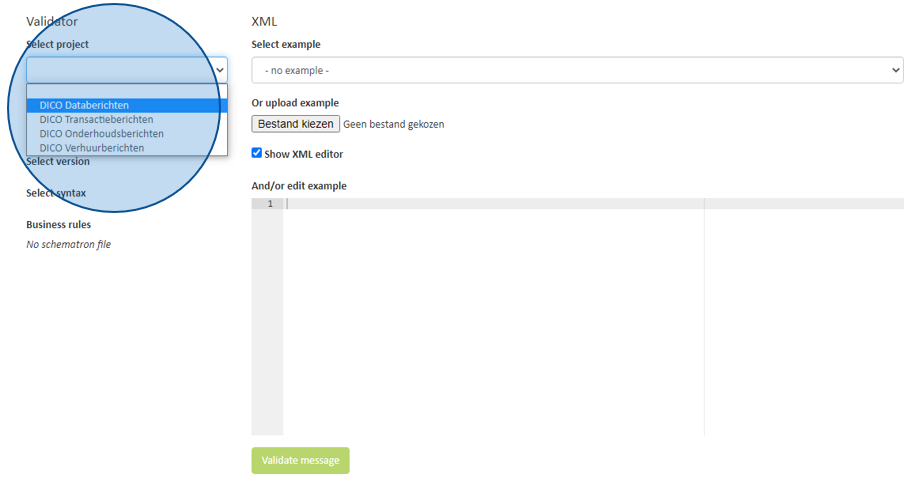
Figure 8 - Select the project the message falls within
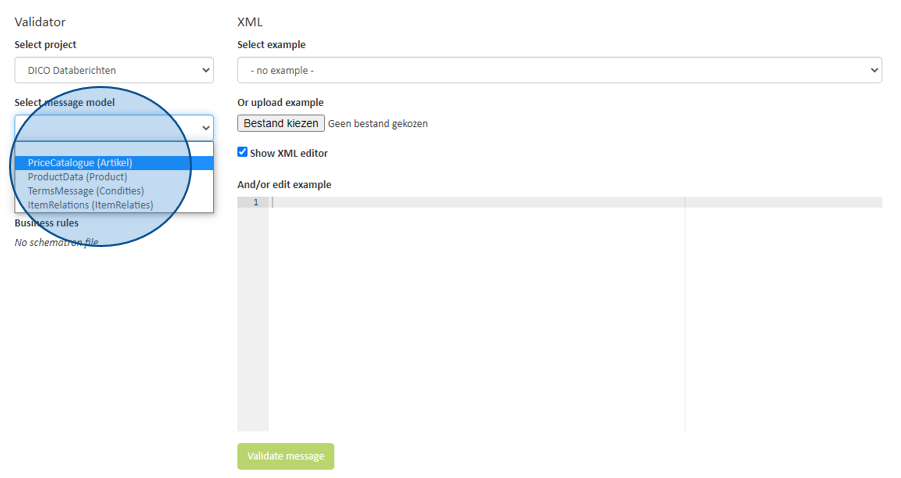
Figure 9 - Select the message
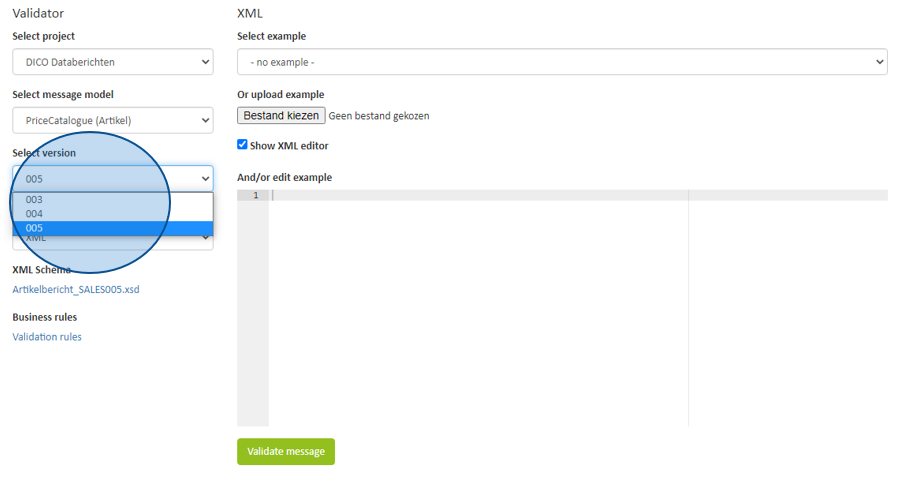
Figure 10 - Select the correct version
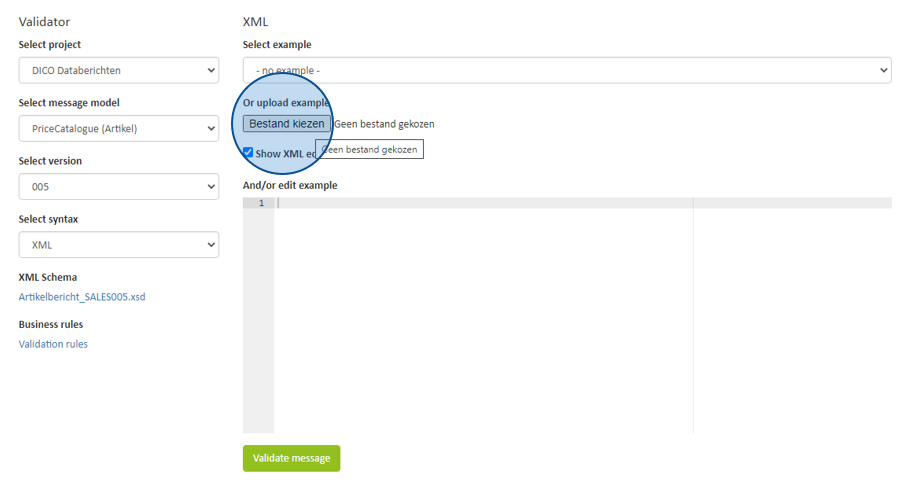
Figure 11 - Select the file you want to validate from your own computer
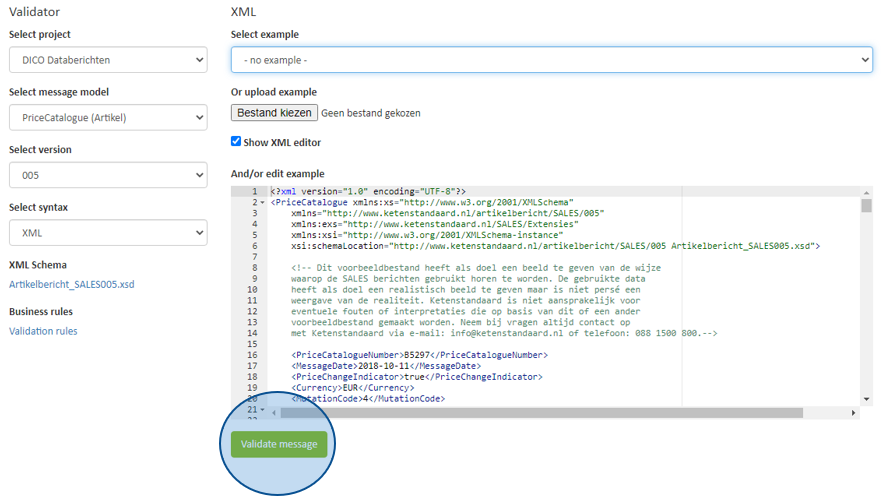
Figure 12 - Click on validate message
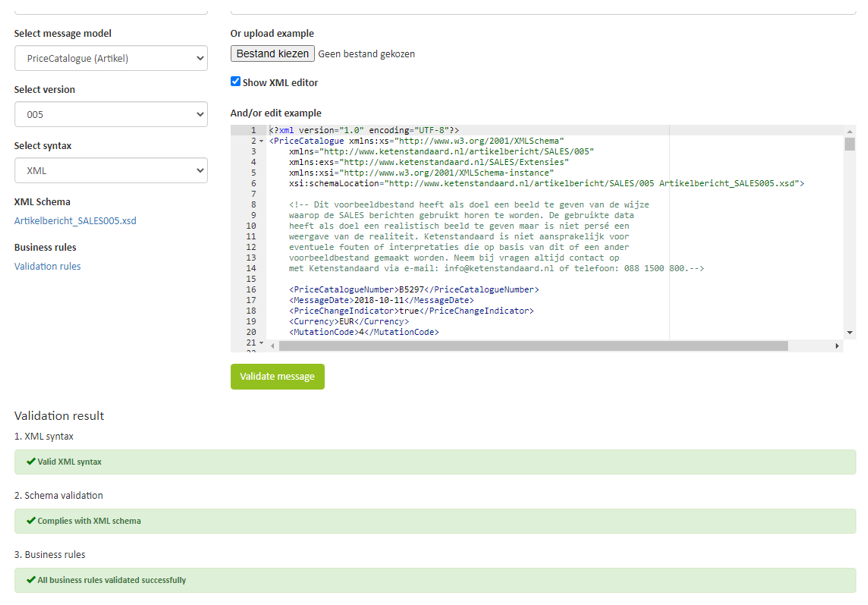
Figure 13 – And get the result back
3.2 XML messages
XML stands for eXtensible Markup Language. This is a standard developed for exchanging information via the Internet. The messages of the DICO Standard are customised and therefore differ from other international XML standards.
As a recipient of the DICO XML messages, one must take into account that all fields can be delivered with all possible codes and statuses that have been defined. The sending party has the responsibility to ensure that the offered file complies with the DICO Standard. In both cases it is important to take into account that the code lists are dynamic and may be subject to change.
3.2.1 Structure of the technical documentation
The technical documentation for the DICO XML can be found on Semantic Treehouse. Among others:
- Example XML Example
is available. So it can also be validated immediately; - The technical descriptions on Semantic Treehouse (previously):
Functional Attribute List Within Semantic Treehouse, the order of the fields, the properties of the fields, business rules, code lists and all relevant information are displayed; - XSD Schemes
You implement these schemes in the software, they form the basis of the messages both incoming and outgoing. It is advisable to implement the XSDs in their entirety;
3.2.2 External code lists
The code lists are externally defined with the arrival of the SALES005. The codes are no longer defined in the message XSD, but are described on another, external code list and remain part of the DICO Standard. This is to make code lists more flexible with respect to changes. In the attributes list, the reference to the code subset to be used is made. The code list may be subject to change; the most current code list is leading. The most up-to-date code list can be found in the download section of www.ketenstandaard.nl. When implementing the DICO messages in the software, it is important to take a changing, external code list into account. The DICO Standard also uses internationally standardised non-DICO code lists:
| non-DICO codelist | URL organisation | |
|---|---|---|
| Country | ISO 1166 two alpha code | https://www.iso.org/iso-1166-country-codes.html |
| Currency | ISO 4217 three alpha code | https://www.iso.org/iso-4217-currency-codes.html |
| Language | ISO 619 two alpha code | https://www.iso.org/iso-619-language-codes.html |
| Package type description code | EANCOM manual part III code list 7065 (incl. UN/ECE Recommendation No. 21) | http://apps.gs1.org/GDD/bms/EANCOM/Pages/clDetails.aspx?semanticURN=urn:gs1:gdd🆑7065PackageTypeDescriptionCode&release=1 http://www.unece.org/uncefact/codelistrecs.html |
| Units of Measure | Units of Measure Code UNECE Recommendation No. 20 | http://tfig.unece.org/contents/recommendation-20.htm |
Table 1 - Non-DICO code lists
3.2.3 Extensions
Since SALES005, extensions have been used. These extensions are implemented for backward compatibility. By using extensions, functionality can be added to the standard without the need for a new release. Adding official extensions to the DICO Standard is reserved for the committees and can be requested via an RFC. An official extension will become a permanent part of the DICO Standard in a new release. The official extensions are made available on the management environment. In the DICO Standard, the specific locations for an extension are already defined in the XML and XSD.
To use and validate an extension, a reference to the extension's location is made in the header, see section 3.4.2. The extension XSD defines the structure and requirements of the official extensions. The entities and fields in the XML message are preceded by the exs: reference. The XML message refers to the extension created in the following way:
  <UserDefinedExtension xsi:schemaLocation="http://www.ketenstandaard.nl/SALES/Extensies extensies.xsd">
    <exs:newextension1>
      <exs:veldnaam1>Uw waarde</exs:veldnaam1>
    </exs:newextension1>
Any multiple extensions can be attached as follows:
   </exs:newextension1>
   <exs:newextension2>
        <exs:veldnaam1>Uw andere waarde</exs:veldnaam1>
   </exs:newextension2>
3.2.4 Annexes/certificates
With appendices and certificates it is possible to send additional information such as safety data sheets (SDS), drawings and manuals. The structure of the certificates offers space to include information such as the validity date of a certificate. We have tried to give the fields a clear name and function. Users are asked to place the information correctly. The information in the certificate (or in the content of the certificate) is always leading with respect to the information in the message.
3.3 Technical principles
3.3.1 Naming of XML files
To enhance the recognition of the SALES005 XML messages the following naming convention can be used:
<berichttype>_<GLN van de zendende partij>_<documentnummer>_<datum/tijd>
Example:
Order_8712145000011_0001_20180110.xml
Within SALES005 the following naming convention has been agreed upon for invoice messages:
<GLN van de zendende partij>_<factuurnummer>
Example: 8712145000011_FAC10648.xml
3.3.2 Header
For the XML version and the character set, 1.0 and UTF 8 respectively are used in the messages:
<?xml version="1.0" encoding="UTF-8"?>
In order to distinguish between different message versions, the structure of the header below should be adopted. In this example the invoice message. All example messages contain the correct header and should be adopted. The namespace EXS is reserved by Ketenstandaard for the use of extensions.
Example for the invoice message with extension reference:
<Invoice xmlns:xs="http://www.w1.org/2001/XMLSchema" xmlns="http://www.ketenstandaard.nl/factuur/SALES/005" xmlns:exs="http://www.ketenstandaard.nl/SALES/Extensies" xmlns:xsi="http://www.w1.org/2001/XMLSchema-instance" xsi:schemaLocation="http://www.ketenstandaard.nl/factuur/SALES/005 Factuur_SALES005.xsd">
Note: there is a space in the last line of the header
3.3.3 Empty optional elements
If an optional element is not used, the element concerned is omitted entirely. Because string element definitions often use a 'MinLength'= 1, according to XML best practices, only method 3 below can be used. Also for elements of type 'decimal', only method 3 can leave these empty. In XML, an empty optional element can be "rendered" in three ways:
- By not putting anything in it, for example:
<name></name> - By replacing the start-closure tag with one tag, as follows:
<name/> - By leaving out the element in question entirely.
3.3.4 Prohibited signs
Some characters have a special meaning in XML and cannot be used in XML elements. This concerns the following characters:
| Prohibited signs | ||||
|---|---|---|---|---|
< | > | & | ' | " |
| Less than | Greater than | Ampersand | Apostrophe | Quotation mark |
Table 2 - Prohibited signs
Een verboden teken kan vervangen worden door een entity reference, zoals in onderstaande tabel.
| Entity references | ||||
|---|---|---|---|---|
< | > | & | ' | " |
| Less than | Greater than | Ampersand | Apostrophe | Quotation mark |
| \< | \> | \& | \' | \" |
Tabel 3 - Entity references
Below is a reference to W3Schools. Here you can find more information about the XML Standard: http://www.w1schools.com/xml/xml_syntax.asp.
3.3.5 Gebruik CDATA tag
The CDATA tag can be used to use prohibited characters in XML code. By using the CDATA tag, the system interprets everything within the tag as text. The use of the CDATA tag is permitted as long as it does not conflict with the field length described in the model.
For the application of CDATA notation see W3Schools. You can find more information about the XML Standard here http://www.w1schools.com/xml/xml_syntax.asp.
3.3.6 Data types
Within the DICO Standard we use a number of pre-specified data types. The formats and significance are laid down in the diagram below:
| Soort numeriek gegeven | Number of digits before decimal point | Number of digits behind decimal point | |
|---|---|---|---|
| Amounts | n..18 | 12 | 6 * |
| Tax rates | n..17 | 11 | 4 |
| Control values | n..18 | 14 | 4 |
| Weights | n..18 | 15 | 1 |
| Quantities (number) | n..15 | 12 | 1 |
| Contents (volume) | n..9 | 5 | 4 |
| Percentages | n..10 | 6 | 4 |
| Percentage of range values | n..18 | 14 | 4 |
| Other range values | n..18 | 15 | 1 |
| Price basis | n..9 | 6 | 1 |
| Prices | n..15 | 11 | 4 |
| Currency | n..12 | 6 | 6 |
*In XML messages with currency euro 2 decimals are used, because amounts can be expressed in whole euro and in eurocents.
Table 4 - Data types, source: GS1 eCom basic document version 1.3, 12-08-2014
3.3.7 GTIN (GS1 article code)
With the GS1 article code (or Global Trade Item Number, GTIN) you can code your articles. You can use these codes for electronic data exchange with your trading partners. A GTIN has various forms with different lengths; the most common is the GTIN13 (13 positions). It consists of 13 digits and can be represented by an EAN13 symbol. On some consumer units there is not enough space for the EAN13 symbol. In this case you can use GTIN-8 represented by EAN8 symbol. Administrator of the article code (GTIN) is GS1 Netherlands, see also www.gs1.nl.
The length of a GTIN used within the DICO Standard is fixed at 14 numeric positions, therefore one or more "0" must often be placed in front of the GTIN.
| GTIN | Example | |
|---|---|---|
| GTIN-8 | 87121012 | 00000087121012 |
| GTIN-11 | 8712145678906 | 08712145678906 |
| GTIN-14 | 18712145678907 | 18712145678907 |
Table 5 - Examples of use GTIN
3.3.8 GLN (GS1 adrescode)
With the GS1 address code (or Global Location Number, GLN) you can encode internal and external company addresses. You can use the code for electronic data exchange with your trading partners. This allows you to synchronise your data with those of the trading partners. You can manage goods flows better: with the GS1 address code, you can indicate for which address the goods are destined. Examples of internal addresses are departments, loading platforms, production lines, conveyor belts etc. External addresses can be a head office, branches or for example distribution centres. You create a GS1 address code based on your GS1 company number or you can request a separate block of GS1 address codes.
The administrator of the address code standard (GLN) is GS1 Nederland. Ketenstandaard issues the GLNs to its participants on behalf of GS1 for the construction and installation sector.
3.3.9 SSCC (GS1 shipping code)
You code logistical shipping units with the so-called GS1 shipping code, also known as the Serial Shipping Container Code: the SSCC. With this code, you can uniquely code and identify logistical shipping units such as packages, pallets and roll containers with goods worldwide. The GS1 shipping code is an 18-digit number. The GS1 shipping code serves as a key for a computer file containing the information on the corresponding shipping unit. You create a GS1 shipping code based on your GS1 company number or you can request a separate block of GS1 shipping codes. The GS1 shipping code can be represented in a GS1-128 symbol. The manager of the shipping code (SSCC) is GS1 Nederland.
3.4 Ontbrekende functionaliteit
When the market lacks certain functionality, it can submit a Request for Change via Semantic Treehouse. A Request for Change is assessed for clarity and completeness by the Ketenstandaard and is submitted to the expert committee(s). In this way, the quality of the standard is guaranteed. If a Request for Change is granted, the requested functionality will be included in a subsequent release of the DICO Standard.
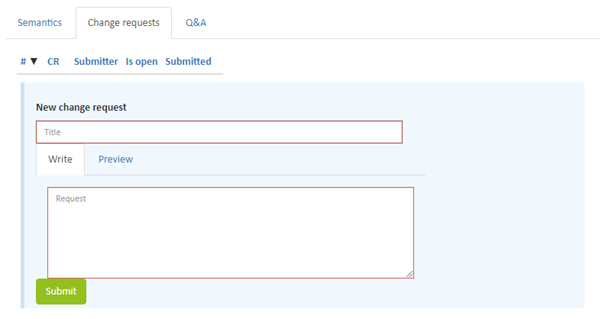
Figure 14 - Submit RFC via Semantic Treehouse
3.5 Sending and receiving XML messages
There are various ways of sending and/or receiving XML messages. There are roughly two methods. Bilateral (point-to-point) connections.
Examples of such connections are: AS2, SFTP, FTPS, E-mail, Web Services, OFTP, OFTP2. In addition to these methods, the DICO Standard offers its own MessageService (in SOAP and REST protocol). These protocols can be found on Semantic Treehouse.
- Advantage: No additional cost per message.
- Disadvantage: You have to set up and manage the links to your partners yourself. An intermediary that provides connectivity to the various platforms. For this method, the Messageservice can also be used to communicate with this intermediary.
- Advantage: You only maintain one connection with the provider. The provider takes care of the connectivity to your partners.
- Disadvantage: Costs are often calculated based on message size and number.